- contact@insightserviceai.com
The platform
Everything a complaint needs, in one place
From the first email to the decision record and on to root causes and QA. Each capability below is in the product today, shown on the demo firm’s data.
Inbox
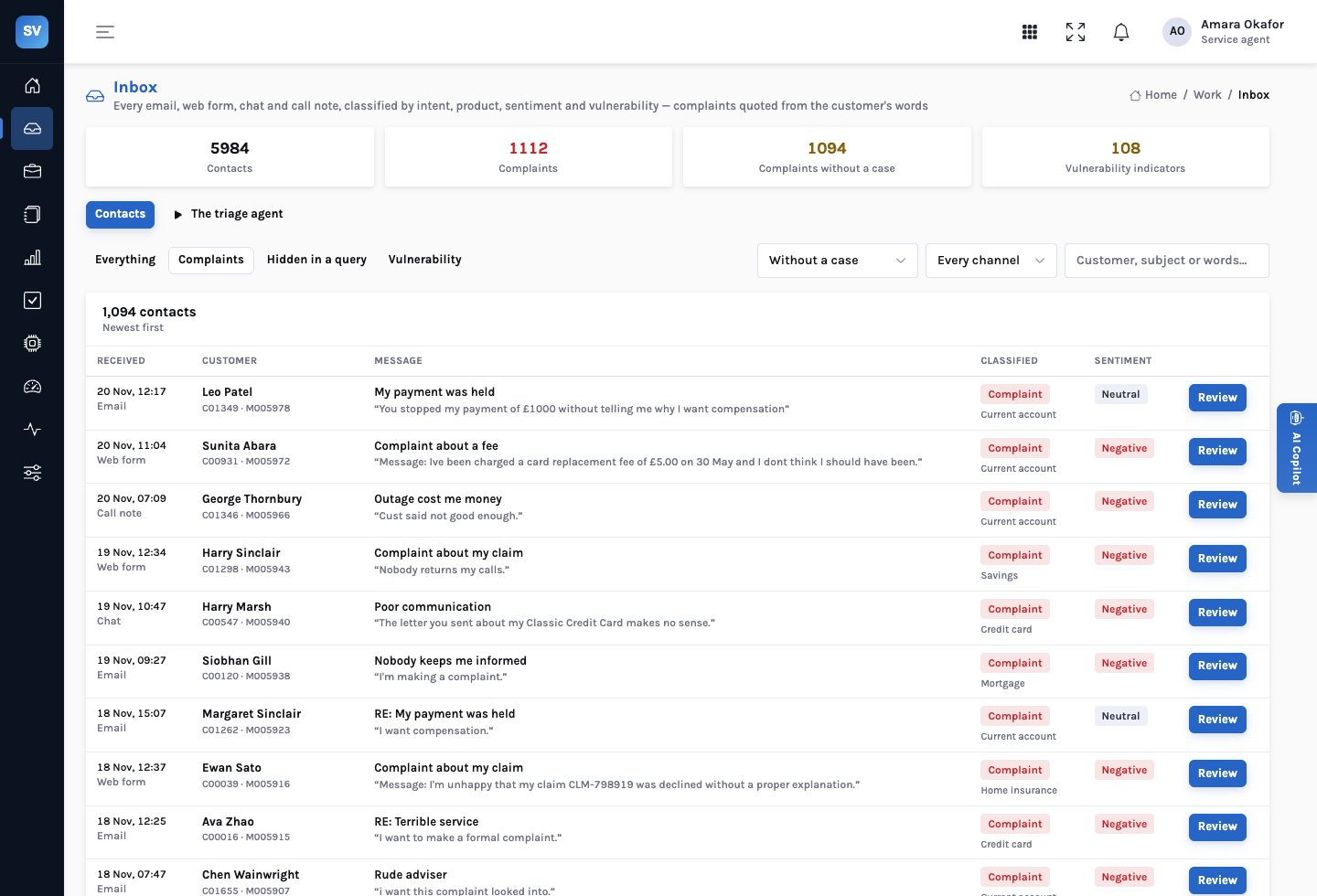
Every contact classified, every finding quoted
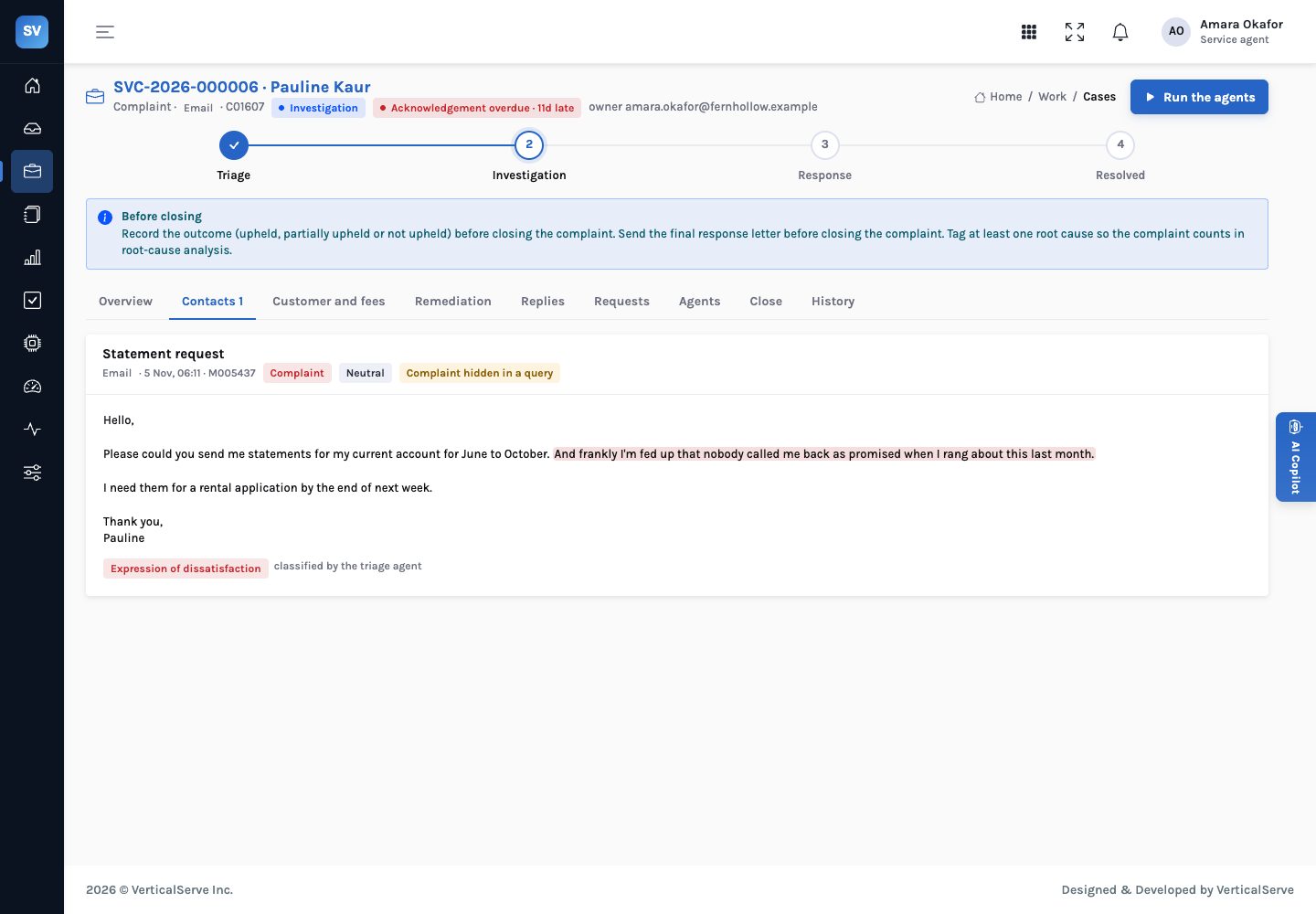
Emails, web forms, chat transcripts and call notes arrive from the firm’s systems and are classified by intent, product, sentiment and vulnerability. Each finding points at the sentence it rests on, so a handler can see why it was raised. In a chat, only the customer’s lines count: an adviser saying “sorry you’re unhappy” doesn’t make a complaint.
- Intent — complaint, query, service request, payment issue, claim, cancellation, fraud report or compliment
- Product — current account, credit card, savings, loan, mortgage, home, motor or travel insurance
- Sentiment — negative, neutral or positive, from the customer’s words
- Correctable — a person marks a contact “not a complaint” or “actually a complaint”, with a reason that is kept
The complaint clock
Deadlines from the moment the contact arrived
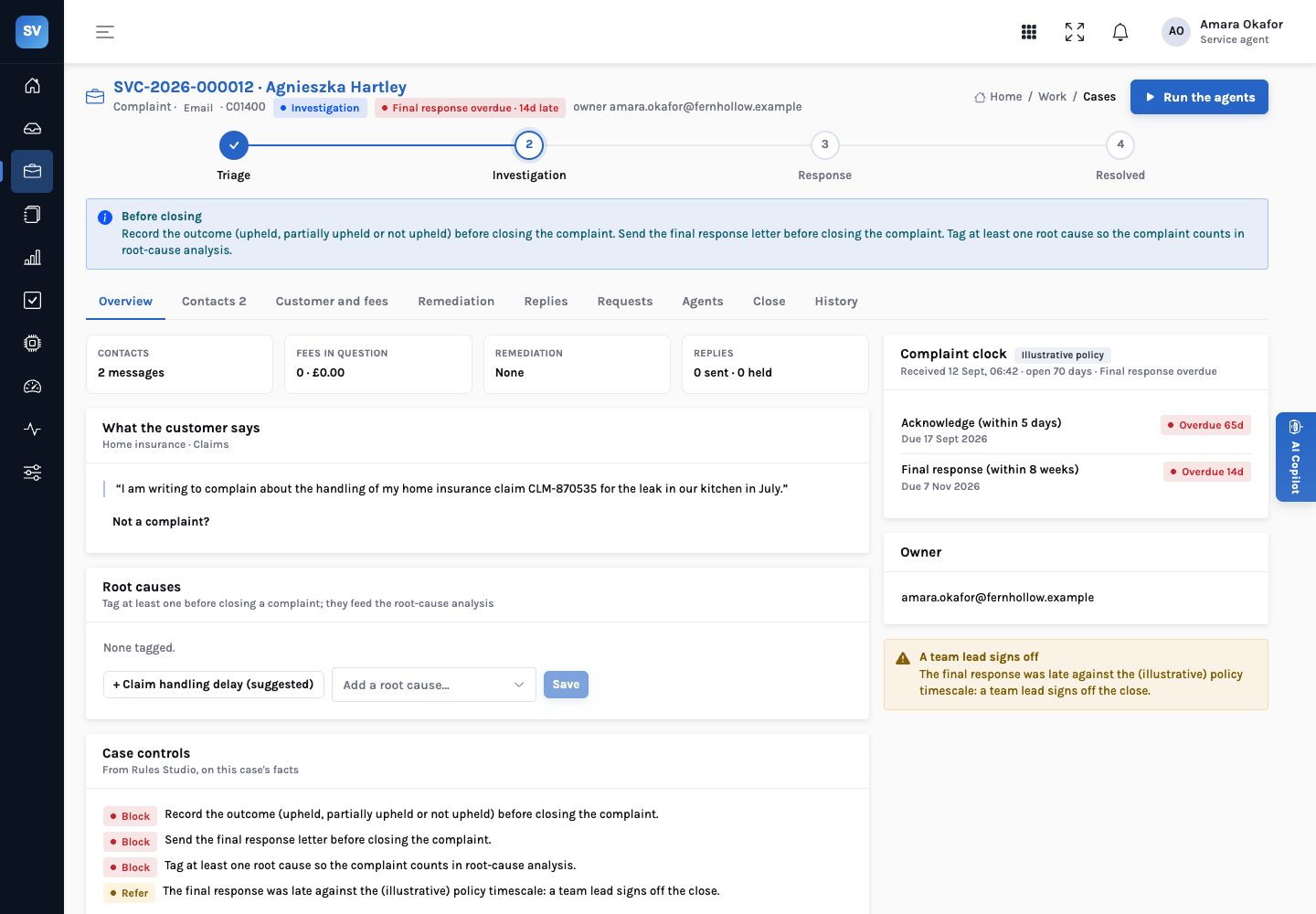
A complaint gets an acknowledgement deadline and a final-response deadline, counted from when the first contact was received, not from when someone opened the case. The clock shows on track, due soon, overdue or breached on the queue, the case and the home page. The timescales are configuration, labelled illustrative policy wherever they appear.
- Acknowledge — within
SERVICE_ACK_DAYScalendar days (5 in the demo) - Final response — within
SERVICE_FINAL_WEEKSweeks (8 in the demo) - Due soon —
SERVICE_DUE_SOON_DAYSbefore a deadline (7 in the demo) - A breach refers the close — a late final response means a team lead signs off the close
Case research
What the firm’s records say about this complaint
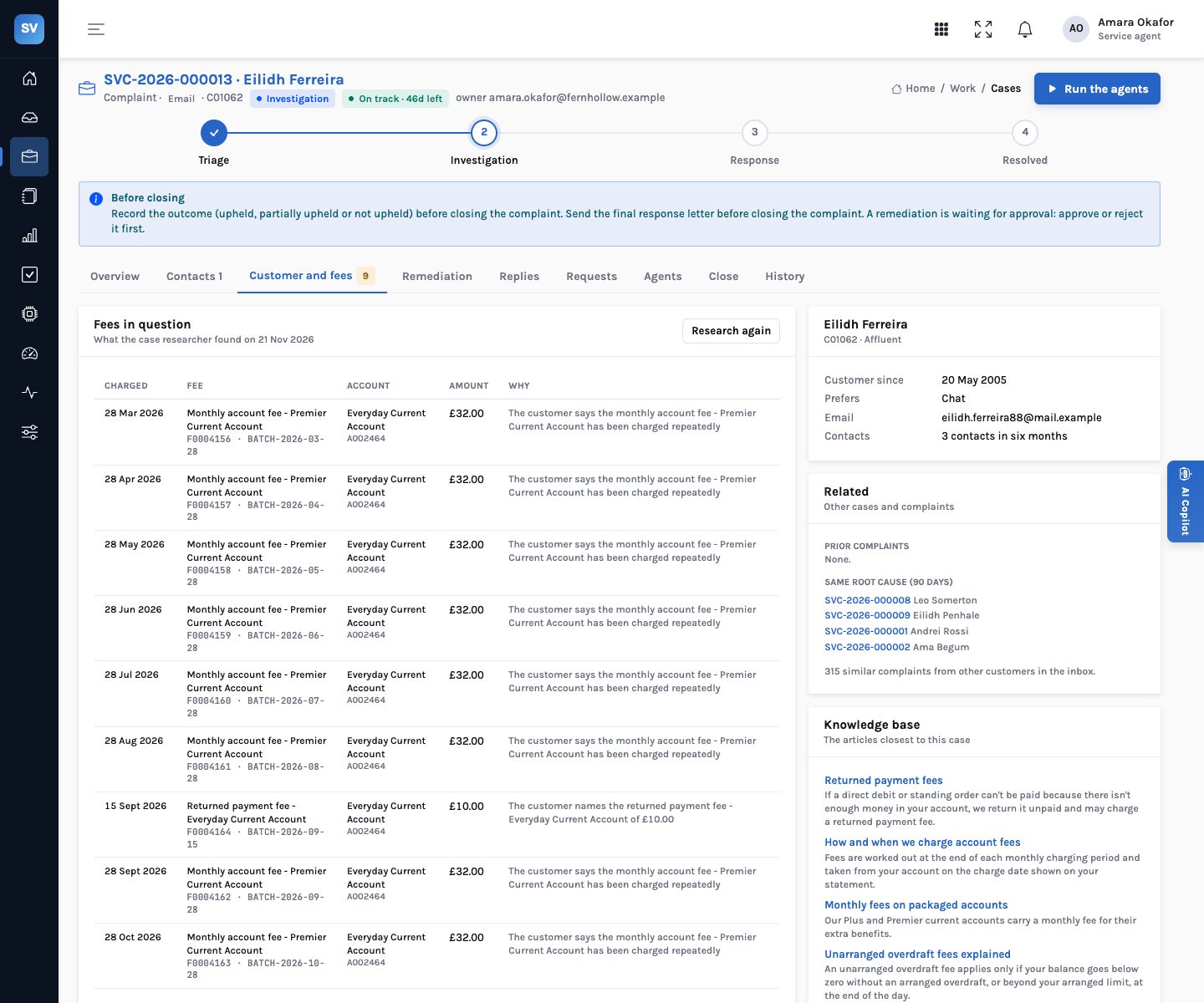
The case researcher reads the customer’s accounts and policies, six months of fees, prior complaints and the firm’s other cases. It finds the fees in question: the same fee charged twice on the same day, and the fees the message names, all of them when the customer says it keeps happening. It links cases on the same fee run and suggests root causes.
- Duplicates — same account, fee, amount and day
- Named fees — monthly, overdraft, returned payment, late payment, over-limit and other fees the customer mentions
- Related — the customer’s other cases and prior complaints, cases on the same fee run, and recent complaints with the same cause
- Knowledge base — the articles closest to the case, for the reply
Vulnerability
The sentence that changes how a case is handled
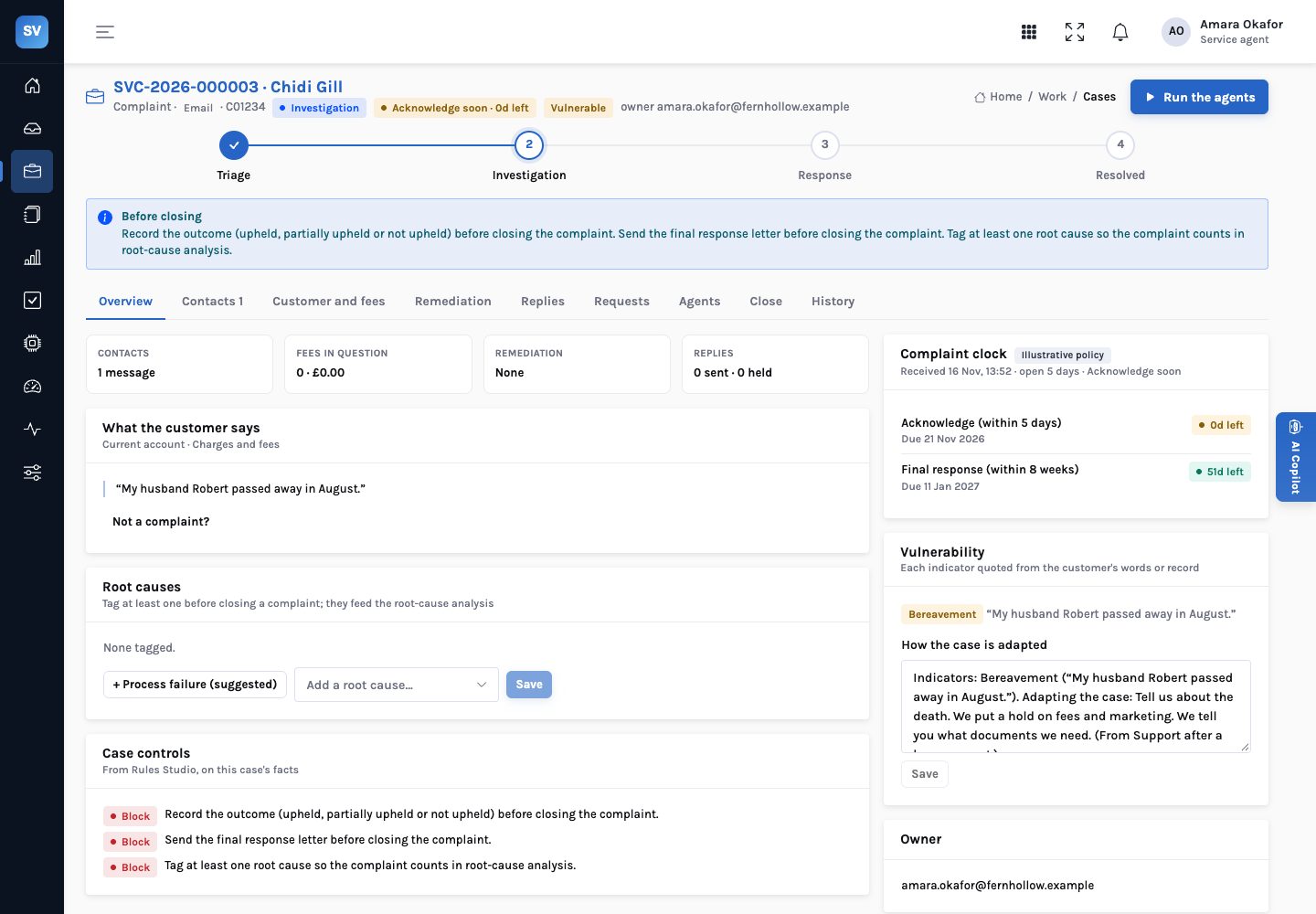
Bereavement, financial difficulty, physical and mental health, caring responsibilities, communication needs, digital or age-related difficulty and abuse are each quoted from the customer’s words, alongside anything already on the customer’s record. A vulnerable customer’s case is high priority, and it can’t close until someone records how it was adapted.
- Quoted — each indicator shows the sentence it came from, or the date it was noted on the record
- Suggested support — the vulnerability spotter drafts the adaptation from the knowledge base
- A control — “Vulnerability not addressed” blocks the close
- In the reply — the reply drafter cites the relevant support article
Remediation
Refund plus interest, worked out the same way every time
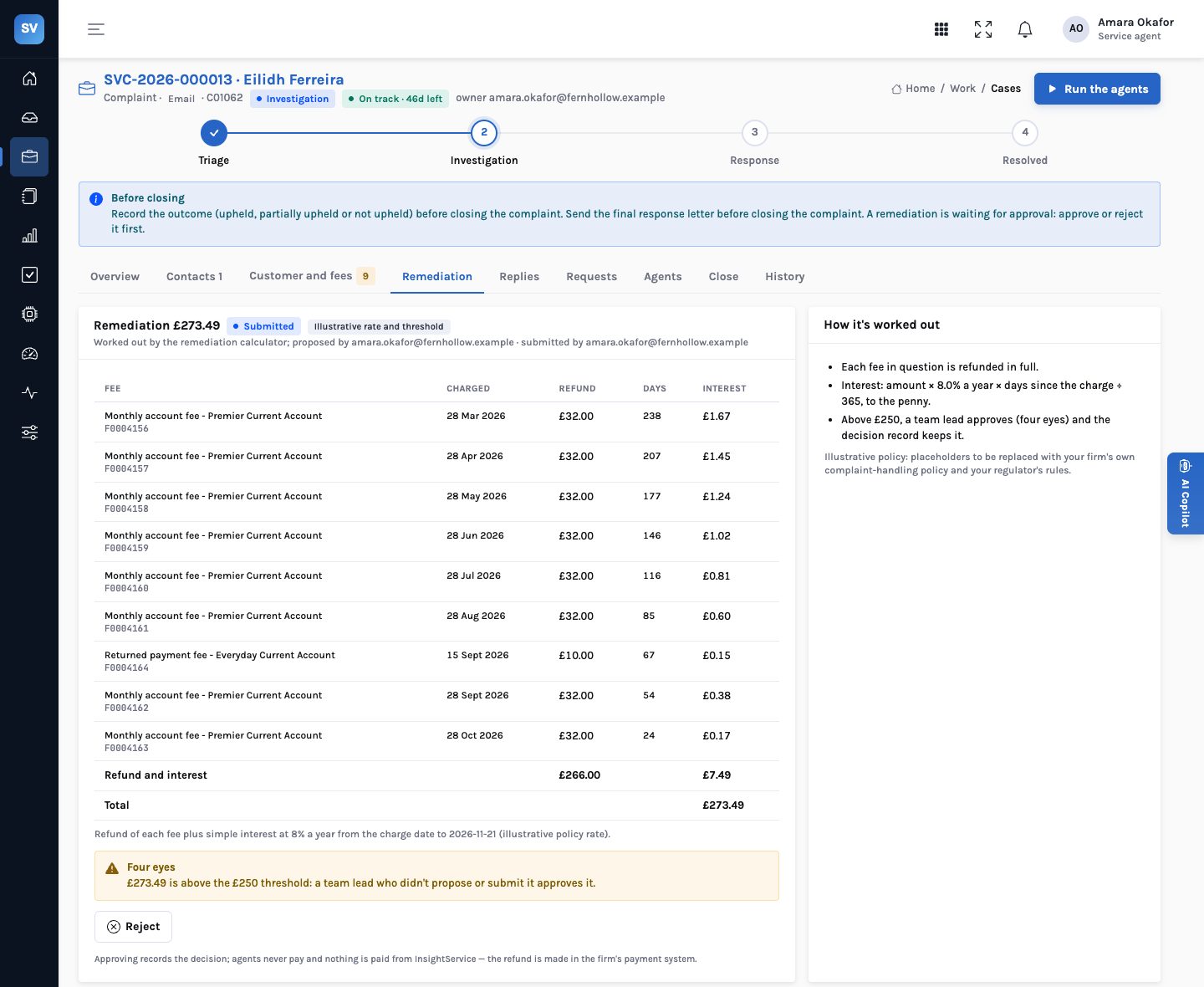
The remediation calculator refunds each fee in question and adds simple interest from the day it was charged: amount × rate × days ÷ 365, rounded to the penny per fee. A goodwill amount can be added. Above the approval threshold, a team lead who neither proposed nor submitted it approves it. Nothing is paid from InsightService; the refund is made in the firm’s payment system.
- Rate —
SERVICE_REMEDIATION_RATE, 8% a year in the demo (illustrative) - Threshold —
SERVICE_APPROVAL_THRESHOLD, £250 in the demo (illustrative) - Four eyes — enforced: the approver can’t be the proposer or the submitter
- Decision record — every approval or rejection is kept with the items and the threshold
Replies and final response letters
Drafted from the facts, held until a person sends them
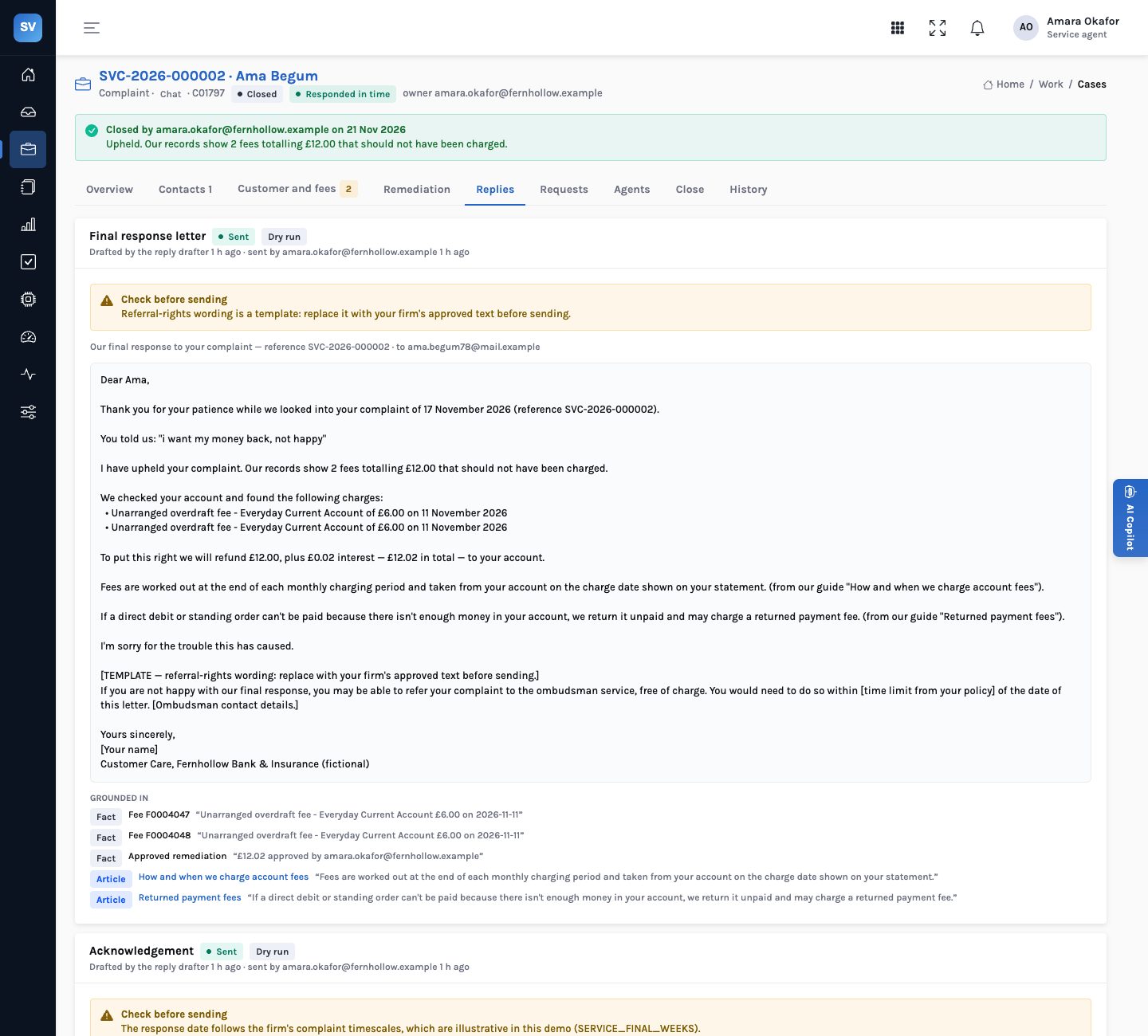
The reply drafter writes the acknowledgement, the response to a query and the final response letter from the case’s facts and the knowledge base, with a citation for each fee, the approved remediation and every article it quotes. The final letter needs an outcome first, and its referral-rights wording is marked as a template to replace with the firm’s approved text.
- Three kinds — acknowledgement, response and final response letter
- Citations — the customer’s words, the fee records, the approved remediation, the articles
- Held — a person edits and sends; agents never send to a customer
- Dry run — with
SERVICE_COMMS_LIVEoff, sending records the reply without delivering it
Customer requests
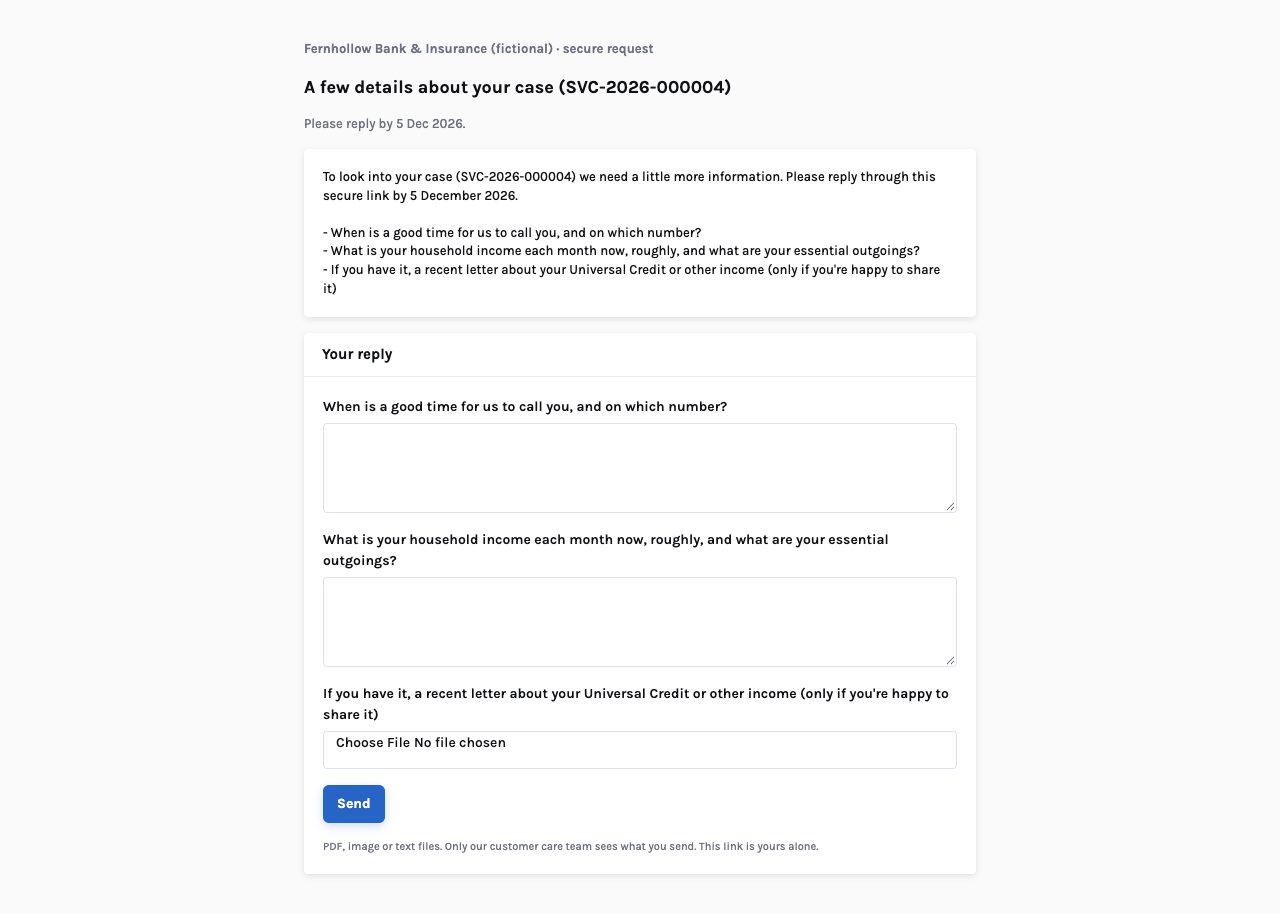
Ask the customer through a link with no login
A handler lists what to ask, one item per line: a question gets a text box, anything else an upload. The request is held until a person sends it; the customer answers through their own link, and the answer and files land on the case.
- A link per request — shown once to the sender; InsightService keeps only a fingerprint
- Uploads — PDFs, images or text files, up to 8 MB each
- Withdraw — a withdrawn request’s link stops working
- A control — an open request blocks the close
Close and the decision record
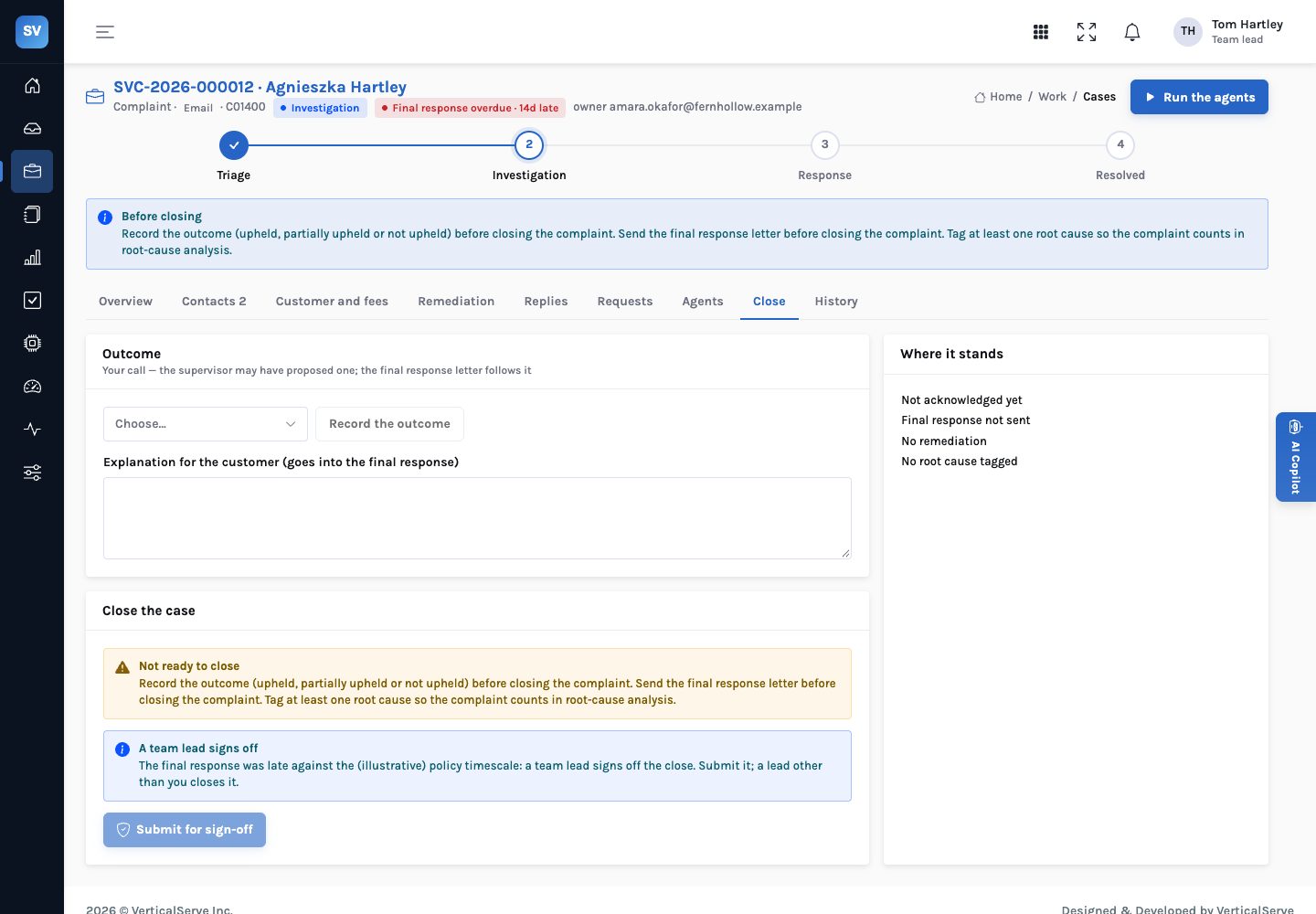
Nine controls, and four eyes where it matters
The case controls are a rule set in Rules Studio. Seven block a close; two refer it to a team lead, who must not be the person who submitted it. When the case closes, the decision record keeps the outcome, the clock, the root causes, the remediation, the vulnerability note and every control’s result.
- Block — no outcome, final response not sent, query not answered, no root cause, vulnerability not addressed, remediation pending, request open
- Refer — the clock was breached, or the customer is a repeat complainant
- Outcomes — upheld, partially upheld or not upheld
- History — every step on the case, by person or agent, in order
Root causes
Clusters by cause and product, and the ones that look systemic
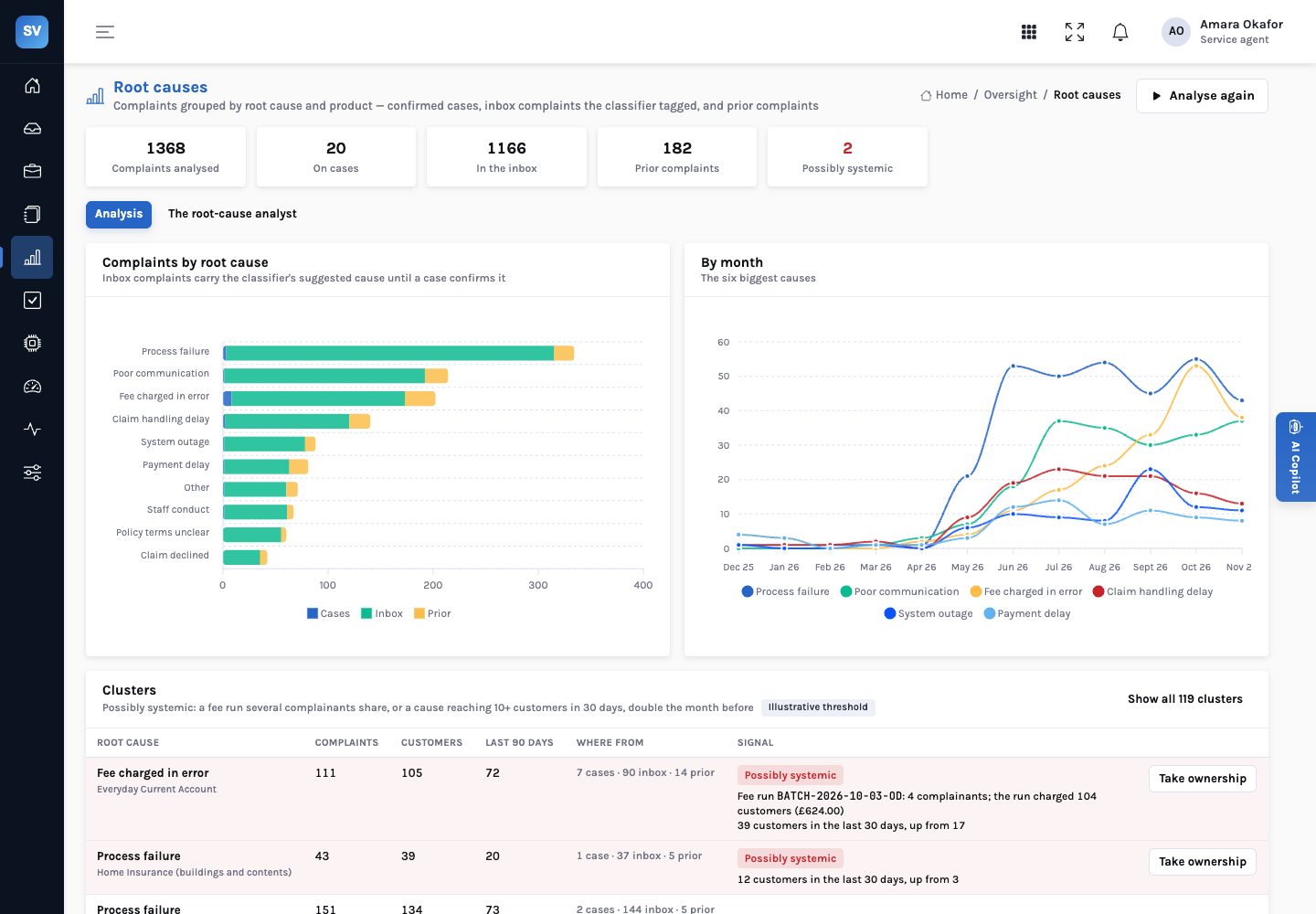
Every complaint carries root-cause tags: confirmed on cases, suggested by the classifier for inbox complaints, and recorded on prior complaints. The root-cause analyst groups them by cause and product, shows them by month with upheld rates, and flags a cluster as possibly systemic when several complainants share a fee run or a cause is rising fast.
- Three sources — confirmed cases, inbox complaints not yet on a case, and prior complaints
- Shared fee run — two or more complainants on the same run flags the cluster
- Rising — a cause reaching at least twice
SERVICE_SYSTEMIC_CUSTOMERScustomers in 30 days, and double the 30 days before - Ownership — a person takes ownership of a systemic cause, with a note
QA sampling
Closed cases checked against a checklist, and recalculated
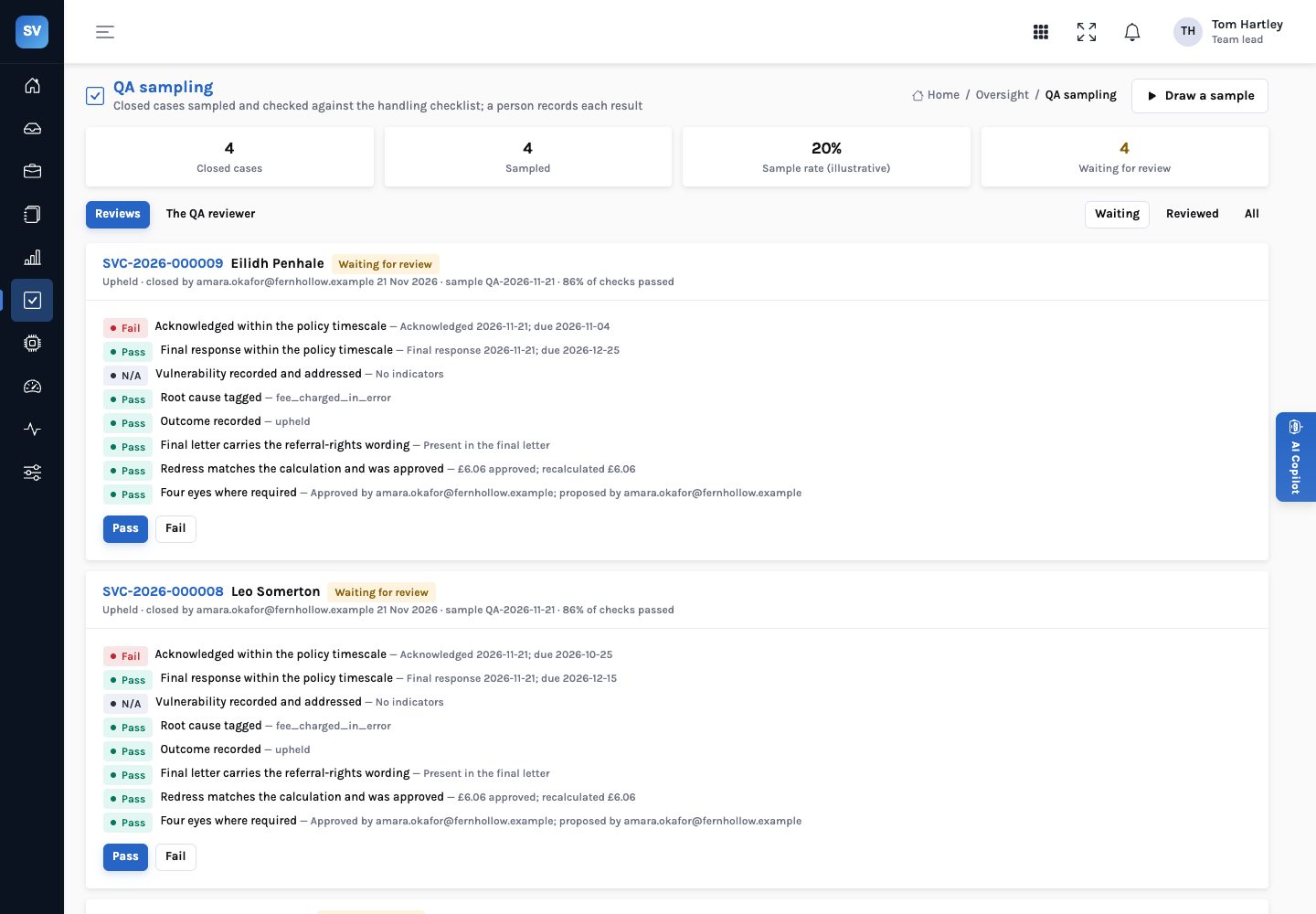
The QA reviewer samples closed cases, always including repeat complainants, vulnerable customers and breached clocks, and runs eight checks. It recalculates the remediation from its items rather than trusting the total. A person who didn’t close the case records the result.
- Eight checks — acknowledged in time, final response in time, vulnerability, root cause, outcome, referral rights, redress recalculated and approved, four eyes
- Sample —
SERVICE_QA_SAMPLE_RATEof closed cases, 20% in the demo (illustrative) - Not your own — the reviewer can’t be the person who closed the case
- Fail needs a reason — a failed result says what failed
Knowledge base
The firm’s own articles behind every reply
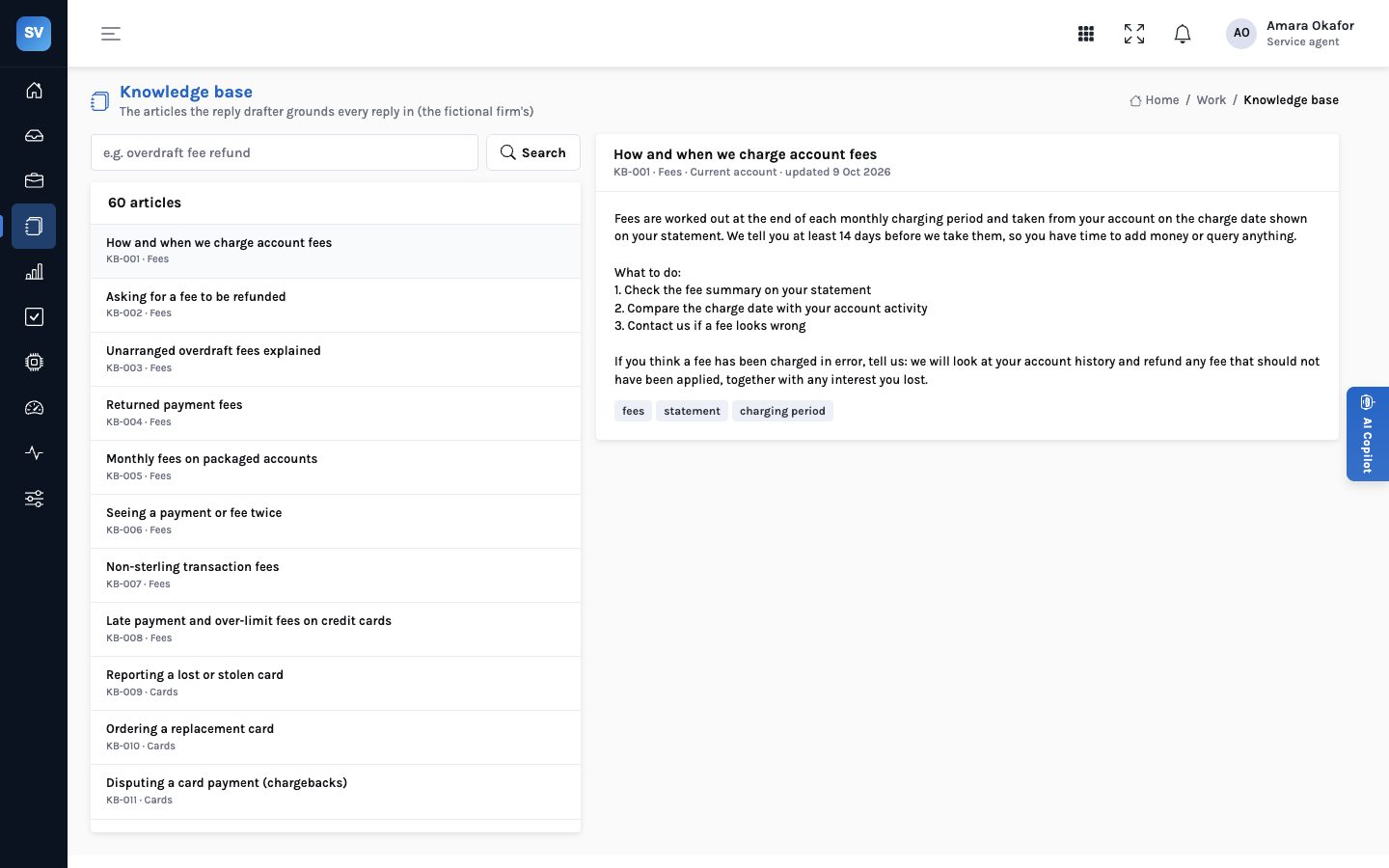
Replies are grounded in the firm’s knowledge base: fees, cards, payments, fraud, lending, savings, insurance claims and policies, complaints and vulnerability support. The case shows the articles closest to it, and handlers can search them.
- Matched to the case — by the words of the complaint, the product line and the category
- Quoted — replies quote the article and cite it
- Vulnerability support — bereavement, financial difficulty, accessibility and third-party access articles
- Demo — 60 invented articles for the fictional firm
Copilot
Ask about the case in front of you
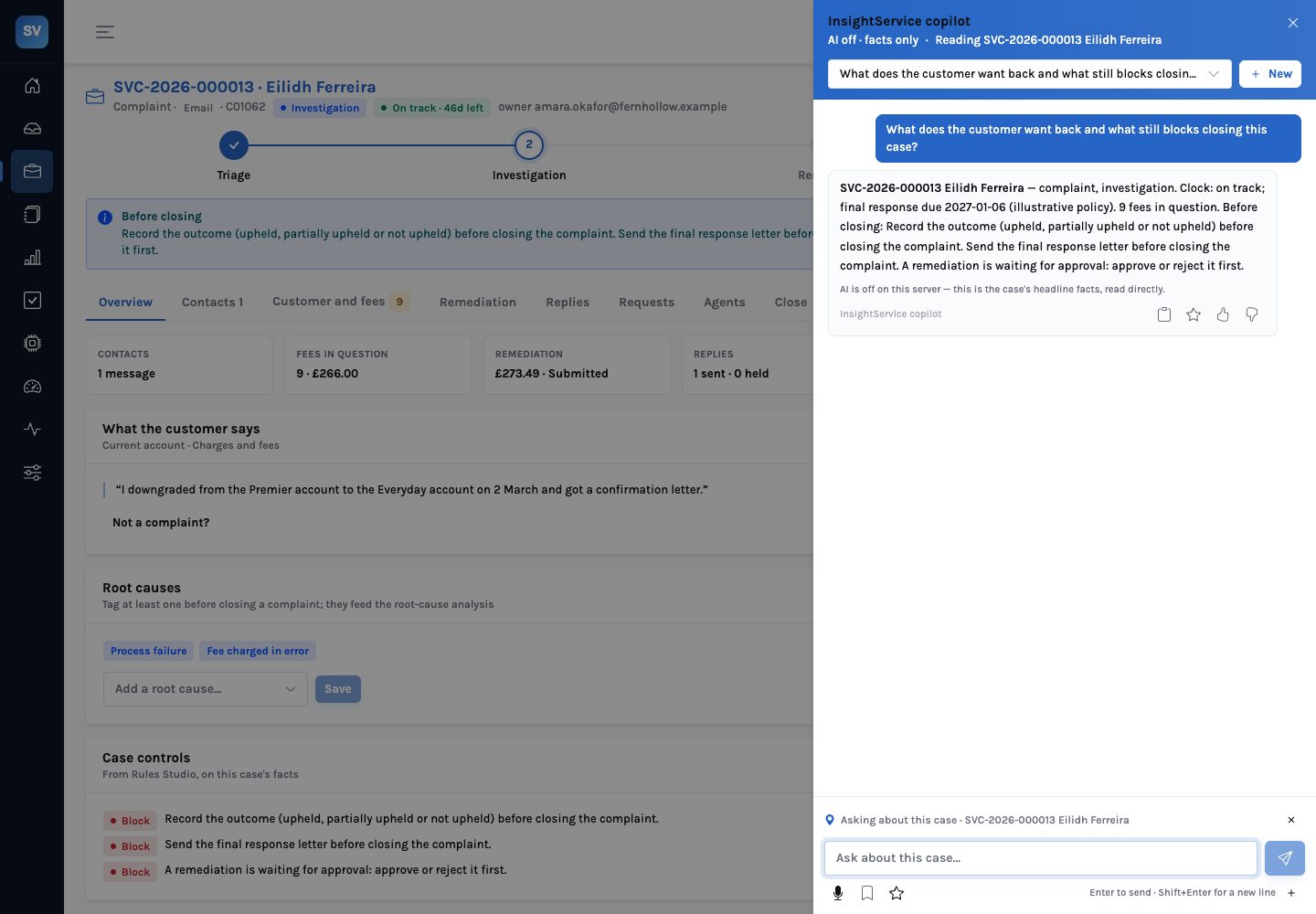
The copilot answers questions about the open case through read-only tools: the summary and clock, the contacts, the customer’s accounts and fees, the research, the knowledge base, the remediation, the replies, what the agents prepared and the root causes. It never sends, pays, classifies or closes.
- Grounded — every name, date and amount is checked against what the tools returned
- Read-only — no tool changes a case
- Model optional — with the model off it answers from the case’s headline facts, and says so
- Illustrative policy — it says so when it quotes a deadline, rate or threshold